Buildertrend is a capable construction management software used by home builders, remodelers, specialty contractors, and general contractors. This article covers a short list of Buildertrend alternatives for businesses looking to transition away from Buildertrend or to compare it with other software.
We’ll provide overviews of seven construction management platforms, starting with our own, ServiceTitan.
Popular Buildertrend Alternatives to Consider
Schedule a call to get a free, live, one-on-one walk-through of how ServiceTitan helps contractors streamline project management and other processes.
1. ServiceTitan — Construction and Service in One Platform, Purpose-Built for Specialty Contractors


ServiceTitan was built specifically for specialty trade contractors in HVAC, plumbing, electrical, roofing, fire, and other mechanical and specialty trades. Every workflow is designed for how subcontractors estimate, manage, bill, and run their businesses.
The following are some key strengths in our platform that make ServiceTitan worth considering:
Commercial Construction and Service Operations in One Platform

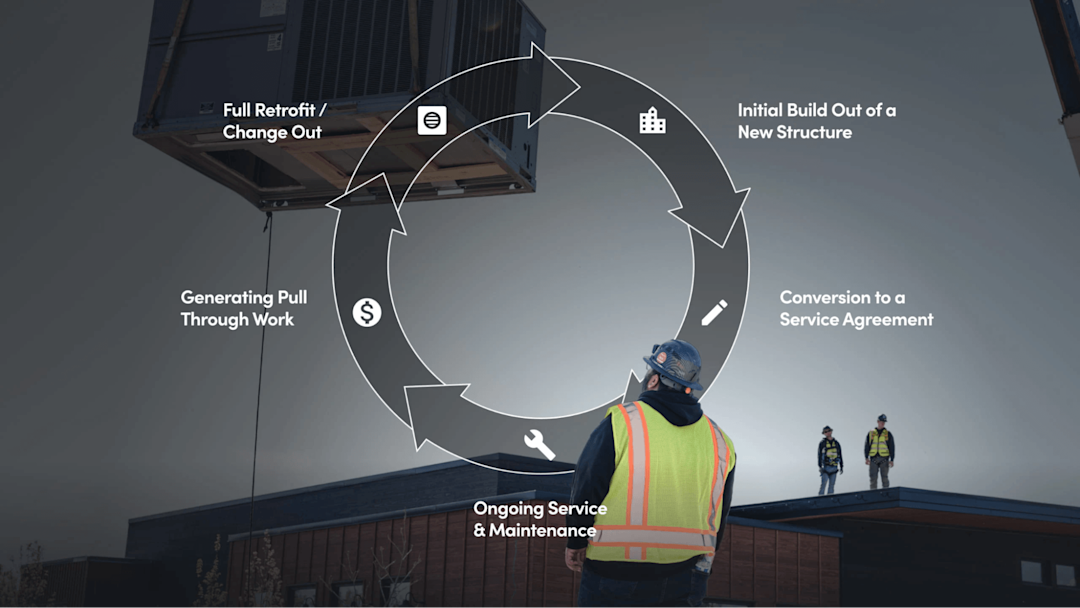
Many commercial contractors install equipment on construction projects and then service that equipment for years under maintenance agreements. Buildertrend handles the construction project, but once the job closes out and the contractor needs to dispatch techs, manage service agreements, track recurring revenue, and maintain customer relationships, you need a separate field service management platform. That means a second system, a second login, and a second source of truth for your customer and equipment data.
ServiceTitan connects both sides of the business natively. A completed construction project feeds directly into service agreement management, equipment history, and recurring billing without re-entering data or switching systems.
Workflows Specifically Tailored for Subcontractors, Not GCs
If you're a subcontractor, you need project financials from your perspective, job costing that tracks your margins, progress billing against your schedule of values, and purchase orders flowing from your estimates. ServiceTitan's construction workflows are designed for how specialty trade subcontractors estimate, manage, and bill work.
Scalable From Mid-Market to Enterprise
ServiceTitan supports growing businesses in the private new single-family and improvement spaces all the way up to enterprise-level contractors running multiple branches, with consolidated reporting, per-location P&L, and role-based access designed for how specialty contracting shops run multi-site operations.
Support, Training, and Contractor Community
ServiceTitan provides personalized onboarding, a dedicated support team, and resources specifically designed to help contractors get maximum value from the platform. TitanAdvisor delivers personalized feature recommendations. The Certified Admin program helps build internal expertise. Free peer-group training through Ember and Spark sessions and an active ServiceTitan Community give contractors a direct line to strategies and answers from other users.
AI Built for the Trades
ServiceTitan is bringing AI to the trades. Atlas, an AI assistant, helps field technicians with on-site troubleshooting and pre-job briefs. AI-powered equipment data capture reduces manual entry. Dispatch Pro recommends the best technician for each job based on skill set, performance history, and predicted job value. These are tools built for how trade contractors actually work, not generic automation layered on top.
The Value ServiceTitan Offers

Increased Profit Margins
ServiceTitan provides real-time visibility into project financials, enabling subcontractors to identify issues, control costs, and make informed decisions to maintain profitability throughout the job lifecycle.
Faster and Easier Payments
The platform automates continuation sheets and payment applications, allowing subcontractors to execute AIA-style progress billing with less manual effort. The detail in your continuation sheet makes for a bill that's easier to defend if a GC pushes back, which means getting paid faster and avoiding cash flow problems.
Streamlined Operations
ServiceTitan consolidates construction bid management (CRM), project management, field management, invoicing, accounting integrations, inventory management, and reporting into a single platform. Fewer logins, fewer data silos, fewer things falling through the cracks between disconnected systems.
Company Performance Tracking
Customizable construction business dashboards provide 360-degree visibility into the KPIs that matter across your entire business, including both the construction and service sides of the operation.
Features to Support the Construction Business Workflow

Some key features in our project management workflow include:
Project Dashboards: When a new project is created in ServiceTitan, a project overview page is automatically generated. From this dashboard, contractors and project managers can keep track of all project details in one place.
Project Planning: Keep projects on track with visibility into every phase. Create a dynamic plan that auto-updates progress and costs as work gets completed.
Daily Logs: Quickly generate standardized daily logs on site and instantly create detailed AI-powered summaries for GCs and stakeholders.
Crew Management: Complete projects on time with crew management tools to track schedules, capture time and progress in the field, and allocate resources for higher labor utilization.
Document Management: Centralize your drawings, plans, and documents in one secure place. With intuitive folders, filters, and search, let your project team quickly find and share what they need.
RFIs and Change Orders: Create and convert RFIs to change orders and track changes to completion in a single integrated platform with real-time financial and status tracking.
Progress Billing: Collect accurate payments on time with a clear view of your schedule of values. Generate AIA-standard payment applications in a single click.
Project Financial Tracking: Track progress and costs with a comprehensive financial view of every project and know what's been billed and what's still on the backlog. Access a detailed budget versus actual breakdown to get needed insights to make informed decisions and keep projects profitable.
Accounting Integrations: Ensure financial data is accurate across platforms with seamless syncing of accounting data with your preferred ERP (QuickBooks Online and Desktop, Sage Intacct, Viewpoint Vista, NetSuite, and more).
Overview of Our Construction Project Management Software
Manage Projects From the Project Overview Dashboard

When a new project is created in ServiceTitan, a project overview page is automatically generated. From this dashboard, contractors and project managers can:
View high-level project information (project description, contract dates and timelines, job site details, etc.).
View open tasks and log and assign new tasks to office or construction team members.
Initiate key project actions such as generating estimates, purchase orders, applications for payment, invoices, and more.
In addition, users can access detailed project financials (discussed below) and an audit trail, including events, notes, and project documents relevant to the job (RFIs, submittals, etc.).
Build Estimates with Accurate Pricing

Project estimates allow you to build detailed construction estimates by adding all of the specific tasks, equipment, and materials needed to do the work. Users have the option to draw from pre-built job estimate templates or build estimates from scratch.
Tasks, materials, and equipment can all be tagged with color-coded project labels to organize the project details and make everything easy to visualize. In addition, pricing and markups for each line item are automatically calculated based on the most up-to-date prices in your pricebook.
Once an estimate is complete, it can be printed, emailed, or exported in PDF format and sent to the client. Additional estimates can be created as needed throughout the project.
Initiate Requisition and Purchase Orders
When an estimate is sold, all of the details you’ve set up in the estimate are automatically integrated into the rest of the project management workflow. For example, you can initiate a requisition of equipment and materials right from within your sold estimate.

For example, let’s say at the beginning of a project, you want to start the process of ordering your permits and materials for the job — you can select those items right from your estimate, which will lead you through a workflow to create the purchase orders you’ll need.
In the purchase order workflow, the line items are automatically populated from your estimate. You can simply select your vendors and shipping locations for each material to complete your order details.
Then, you can save that order to create a transaction and send those purchase orders to your vendors — without ever leaving ServiceTitan.
The #1 newsletter for the trades.
Automate Project Financials and Job Costing
As you progress through a job — creating purchase orders, logging labor hours, processing change orders, receiving progress payments, and so on — ServiceTitan leverages automation to provide up-to-date project financials and job costing.
Instead of constantly updating a series of spreadsheets every time labor costs and material costs are incurred, this is done automatically for you in real time, based on work that’s completed and entered into the system.
If we continue with our example from above, and you’ve made your initial purchase order of permits and materials, your project summary table is updated to reflect those expenses:

Furthermore, you can view a more detailed breakdown of your actual and budgeted project costs.
This automatically updates as you accumulate expenses from materials, equipment, and labor hours. It will display your margins in dollar and percent form to help you track job costs and profitability throughout your project.

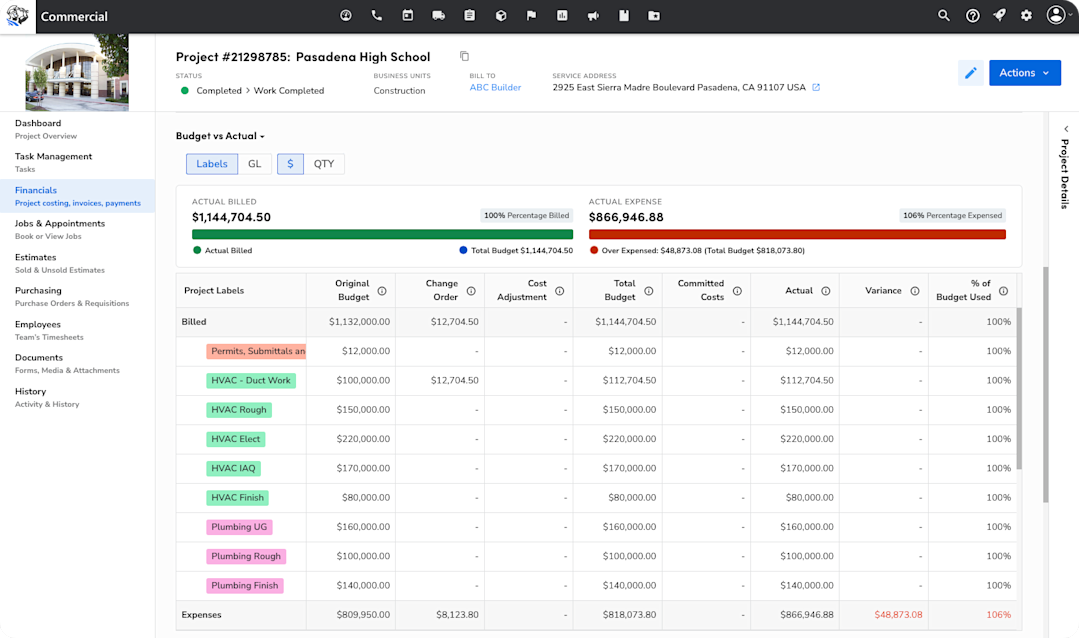
You can also access a table breaking down your expenses in further detail:

You can click on any line item and see the exact source of that expense ( which technician logged those hours or which purchase orders and vendors a given set of materials came from). This allows you to easily check your numbers and feel confident in your data sources.
When it comes time to send applications for payment and invoices, this can also be easily accomplished from the project overview dashboard.
Automate Progress Billing and Invoicing
The initial estimate you created also informs and populates your continuation sheet in your application for payment:

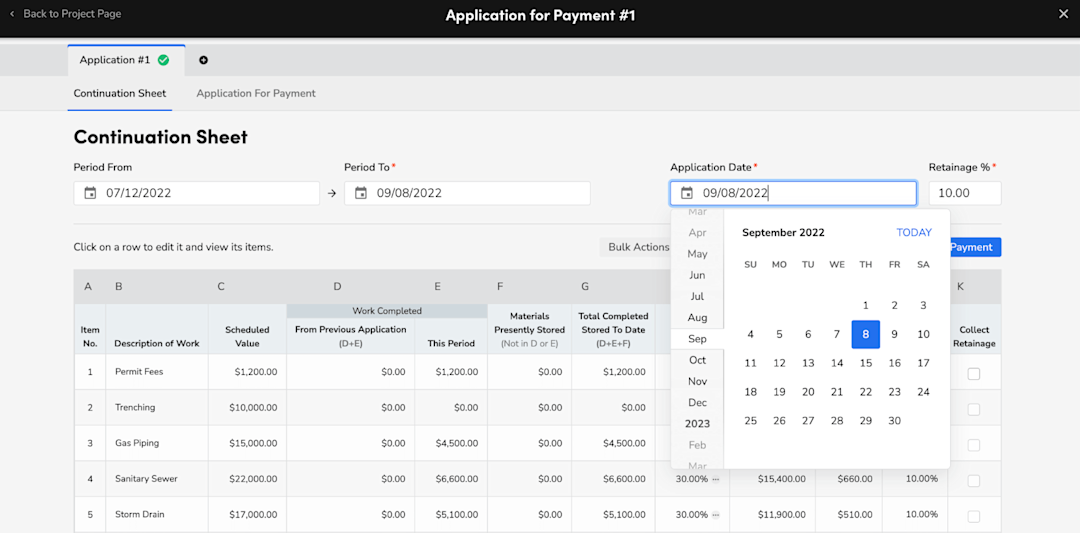
No more reinventing the wheel for every asset that needs to be created throughout your project. When sending a payment application, you can easily generate one by selecting the billing period and the percentage of each line item you want to bill for.
Then, you can generate a PDF payment application with the details automatically filled out and send it off to your client for review. The detail of the continuation sheet makes for a bill that’s much easier to defend in the event of pushback from construction firms or general contractors. As a result, subcontractors can get paid faster and avoid cash flow issues.
When applications are accepted, it’s just as easy to generate an invoice for that progress payment. And when payments come in, you can update your accounts receivable through our Viewpoint, Sage, QuickBooks, and CSV accounting integrations.
Get a Personalized Demo of ServiceTitan Construction Software
What we’ve covered above is just a sampling of the project management tools available with ServiceTitan. We also offer extensive business reporting tools to promote informed decision-making, inventory management, daily report tools, a client portal, a mobile app with a user-friendly interface, and more.
If you’re interested in learning more about how ServiceTitan’s cloud-based platform can help you manage and grow profitability in your contracting business, schedule a call with us for a live, one-on-one walk-through of the features and functionality we’ve discussed throughout this post.
2. Fieldwire — Jobsite Management for Construction Teams


Fieldwire is construction management software designed to streamline project and field coordination on the job site. Built for contractors, project managers, architects, and designers, Fieldwire's platform is designed to facilitate most aspects of on-site project management.
Key features include task management, punch list and inspection tools, blueprint viewing and versioning, scheduling and reports, and the ability to annotate and share plans and documents. Fieldwire also offers a mobile app, allowing users to access information, communicate, and view blueprints even when offline.
3. Procore — Comprehensive Construction Management Software


Procore is a construction management software solution designed to serve a wide range of customers, including civil and infrastructure, general contractors, owners, public agencies, and specialty contractors. Procore offers comprehensive tools for preconstruction, project management, quality and safety, cost management, and more.
The platform also includes expansive integration capabilities with other software and provides extensive training resources and customer support, ensuring that users can maximize the software's potential.
4. Contractor Foreman — Budget-Friendly Option for Small to Medium Contractors

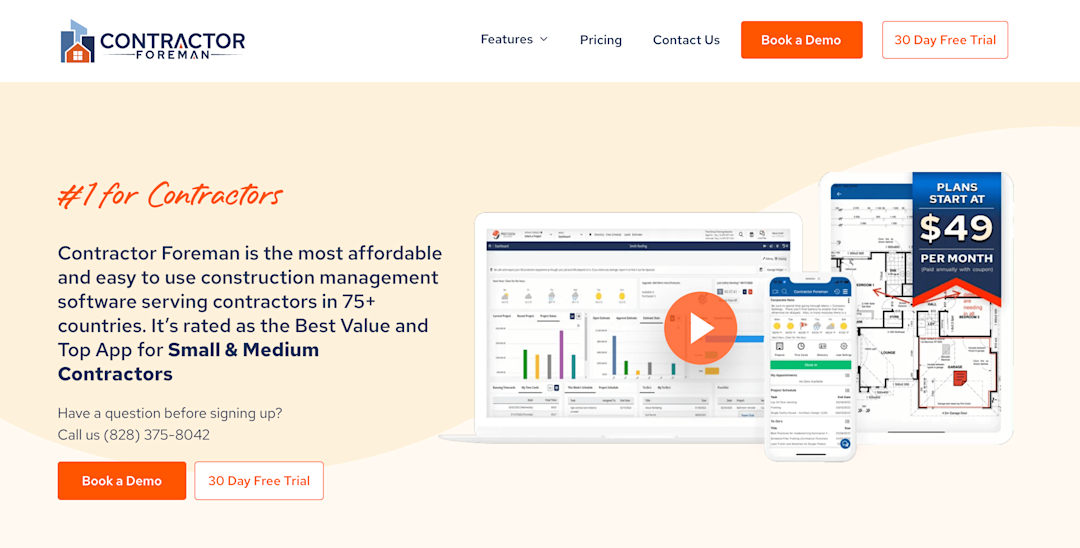
Contractor Foreman is another comprehensive construction management software designed primarily for small to mid-sized contractors and construction firms. This platform offers a wide range of features, including project scheduling, estimates, time tracking, document and financial management, crew management, and more.
Contractor Foreman emphasizes its affordability and user-friendly interface, as well as free training and support.
5. BuildBook by Housecall Pro — Made for Residential Builders

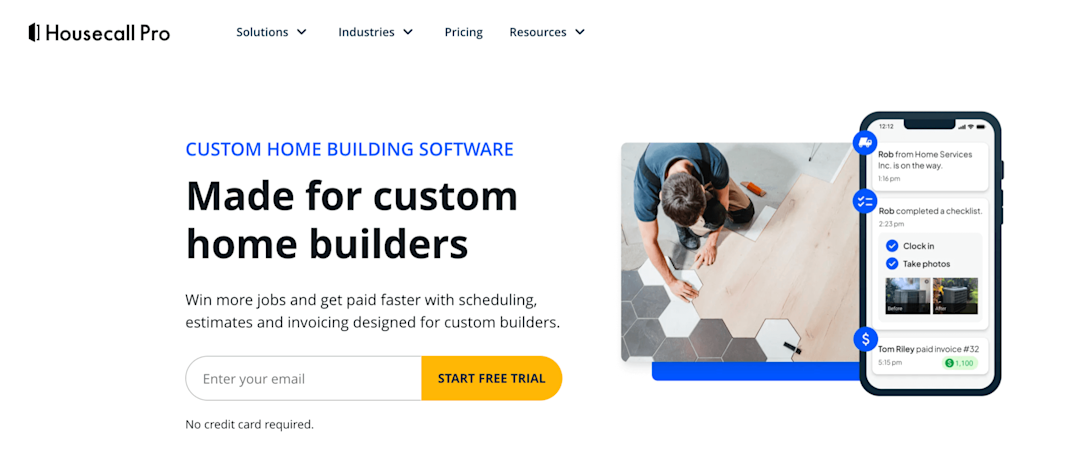
Housecall Pro's construction management software (BuildBook) provides a comprehensive suite of tools designed for custom home builders. At its core, the platform offers project management capabilities, including project scheduling and real-time collaboration. The software streamlines estimating and quoting processes with a visual pricebook and professional proposal options while also enabling job costing to track project profitability.
The platform facilitates efficient business operations through integrated invoicing and payment processing, allowing for on-site card payments and online payment options with automatic reminders for outstanding balances. Additional features include QuickBooks integration for automated financial syncing, CRM tools for client communication, and marketing automation for generating repeat business and referrals.
6. FieldPulse — Field Service Software with Project Management


FieldPulse provides comprehensive contractor software that centralizes project management, scheduling, and financial operations for general contractors. The platform features robust scheduling and dispatching tools to coordinate multiple jobs and teams alongside detailed estimating capabilities for creating professional quotes. Its project management system enables contractors to break down large-scale project planning into trackable tasks, assists in resource management and allocation, and monitors project timelines to ensure the timely completion of milestones.
7. Houzz Pro — Built for Builders and Designers

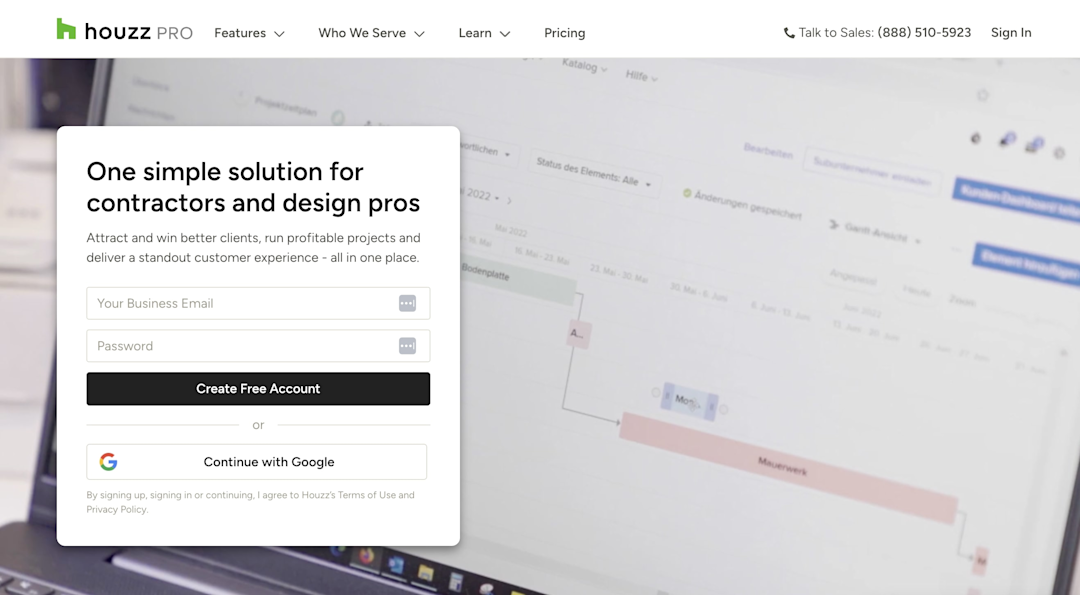
Houzz Pro is a specialized business management software tailored for builders, remodelers, architects, designers, and other contractors. This platform offers features such as project management, invoicing, and client communication tools, integrated with powerful marketing features like website building and online visibility tools.
Houzz Pro is integrated with the broader Houzz platform, providing construction professionals access to a vast community of homeowners and design enthusiasts. This integration enables users to showcase their portfolios, gather reviews, and connect with potential clients.
Get a Free Demo of ServiceTitan Construction Software
If you're running both construction and service operations, or planning to, and you're tired of stitching together separate systems to cover both, ServiceTitan connects everything in one platform: estimating, project financials, progress billing, dispatching, service agreements, accounting integrations, and more.
Schedule a call for a live, one-on-one walk-through and see how it works for your business.


ServiceTitan Software
ServiceTitan is a comprehensive software solution built specifically to help service companies streamline their operations, boost revenue, and substantially elevate the trajectory of their business. Our comprehensive, cloud-based platform is used by thousands of electrical, HVAC, plumbing, garage door, and chimney sweep shops across the country—and has increased their revenue by an average of 25% in just their first year with us.